
Plan in 2D
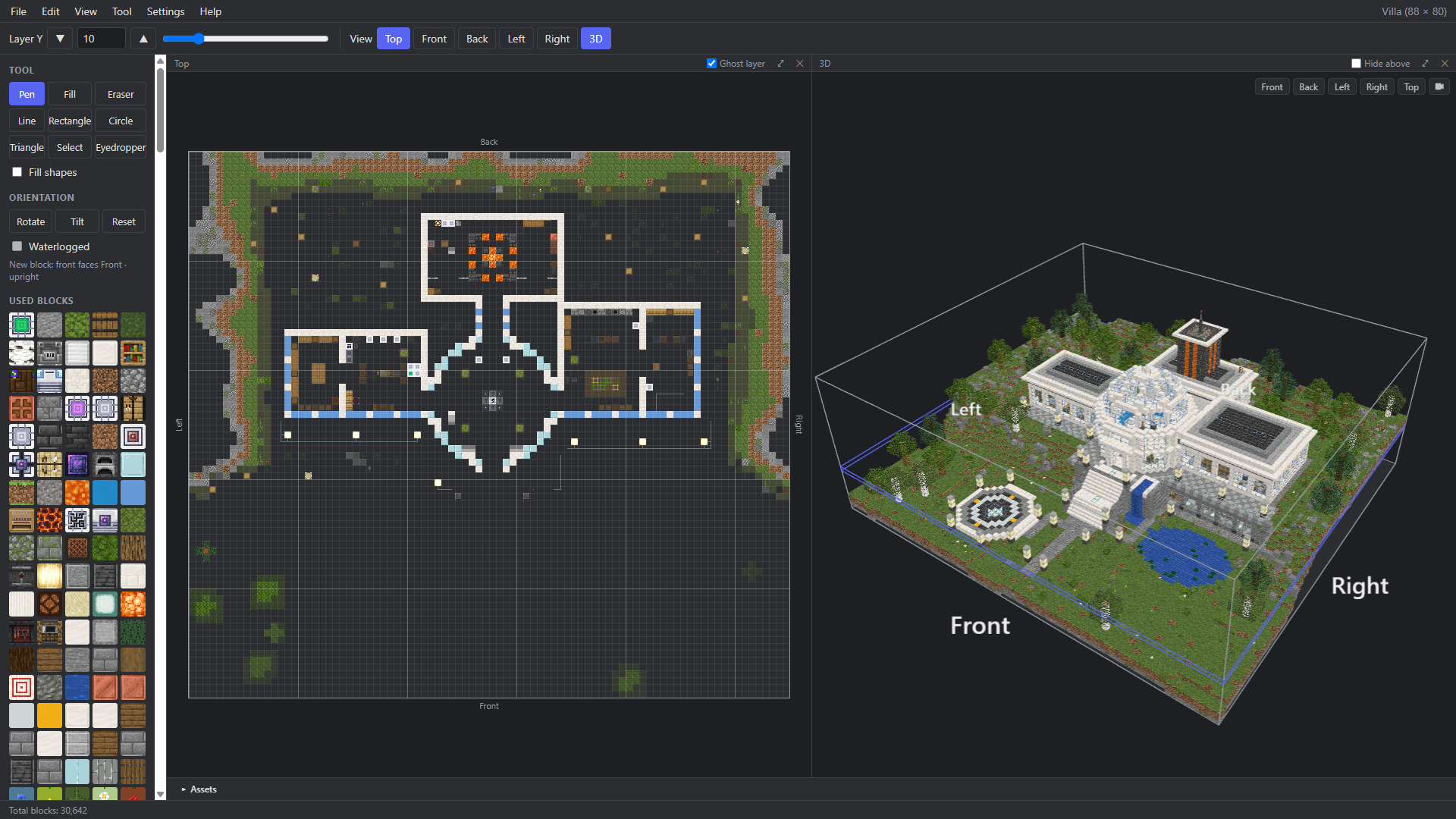
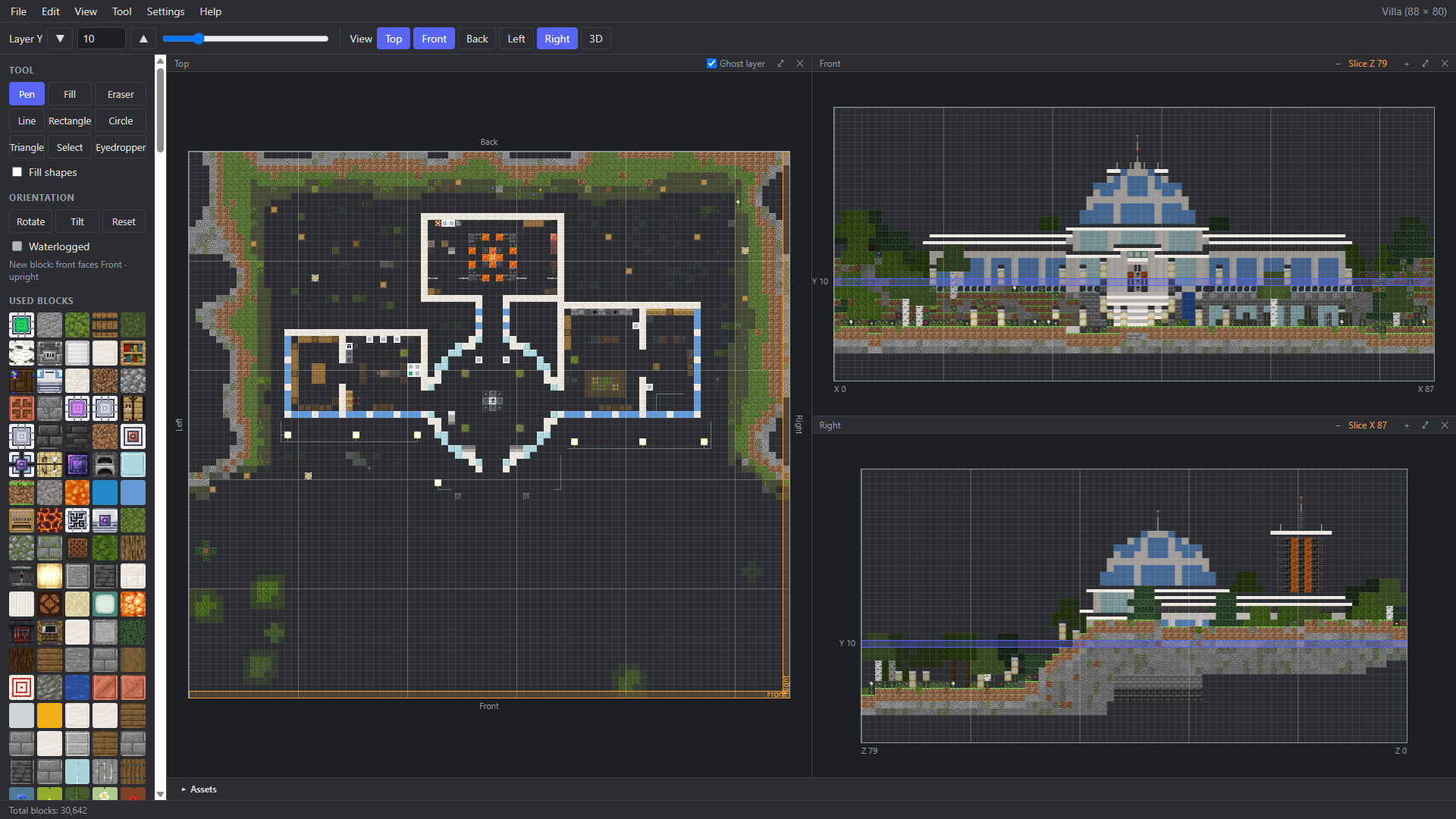
Draw layer by layer in the top view and the facades in four side views – with tools such as pen, fill, line and rectangle.
BaseShape is a planning tool for Minecraft builds. You draw layer by layer in 2D, check the result in 3D, reuse parts, work out the materials and export the plan for the game.
BaseShape in use
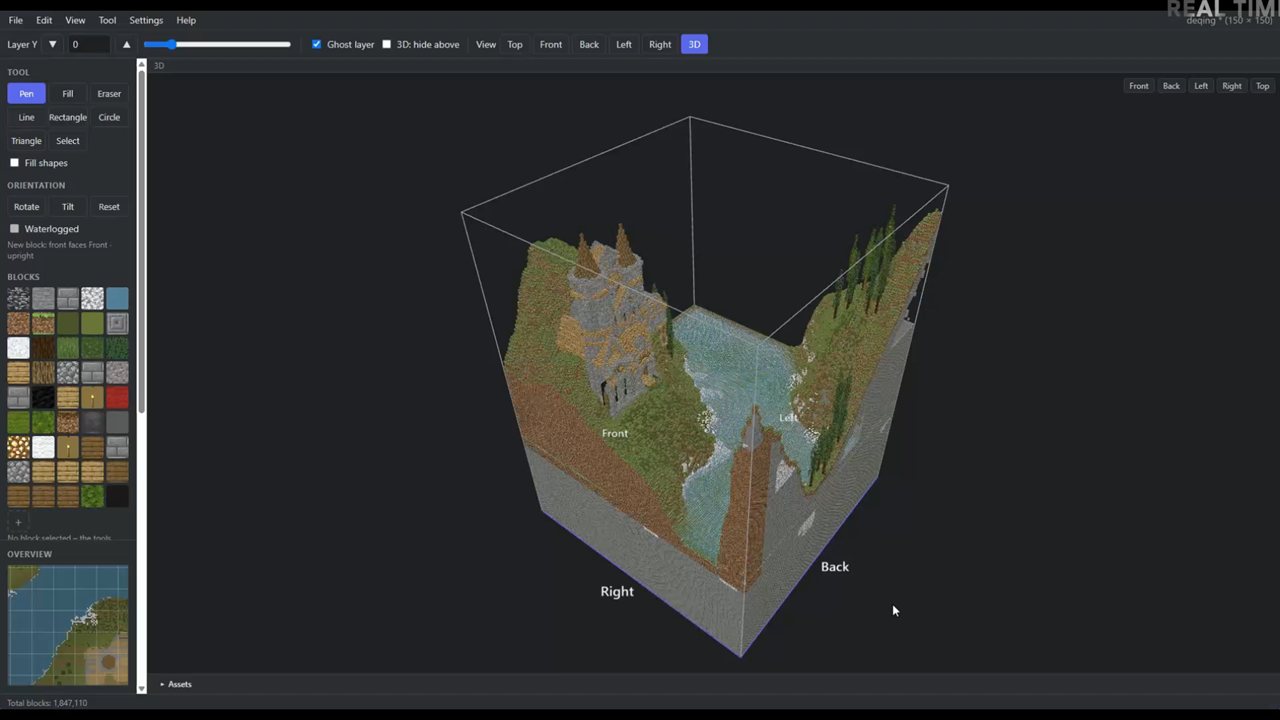
Footage from a very early demo version.
The video is only loaded from YouTube after you click. Data is then transferred to YouTube. Open on YouTube instead
Features
Draw layer by layer in the top view and the facades in four side views – with tools such as pen, fill, line and rectangle.
Rotate the build freely, zoom in and hide layers to look inside.
Select whole areas, copy or move them and align them as a hologram before you confirm. Four-way mirroring is available too.
Keep towers, roofs or machine rooms as assets and drag them from the asset bar into new projects.
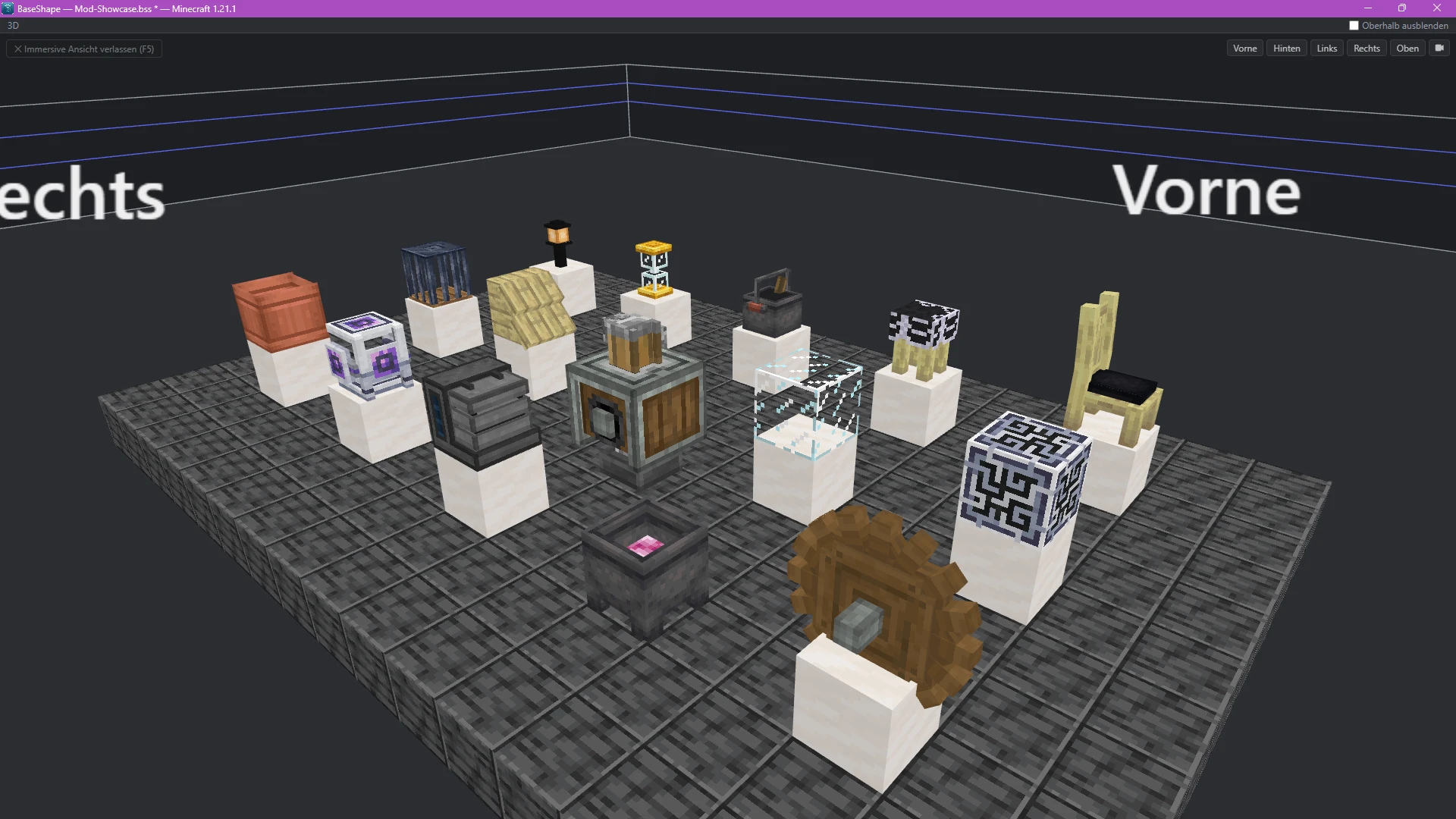
BaseShape reads blocks, textures and shapes from your own Minecraft file and your mod files. The program contains no game files of its own and reads these files locally only. In addition, BaseShape can ask the official website about new program versions – this feature can be switched off.
Stairs face a direction, doors are open or closed, snow lies in layers. BaseShape shows these states and lets you change them deliberately.
Every block used, with amount and stacks – for the whole project, the current layer or a selection. Export as TXT and PDF.
Read existing structures and write your plan as a schematic for WorldEdit, Litematica or the structure block.
| Format | Extension | Import | Export |
|---|---|---|---|
| BaseShape project | .bss | open | save |
| Sponge Schematic | .schem | yes | yes |
| Litematica | .litematic | yes | yes |
| Minecraft Structure | .nbt | yes | yes |
| MCEdit Schematic | .schematic | yes | – |
Exporting requires a linked Minecraft version 1.13 or newer.
Screenshots
Click to enlarge
Download
The download is served by GitHub. If it does not start on its own or was blocked, use “Download again”.
BaseShape is a portable Windows application. After the download, find the file BaseShape-0.1.0.exe in your Downloads folder and double-click it to start.
BaseShape 0.1.0 is not digitally signed yet, so Windows may warn about an unknown publisher or an unrecognized app. First check that the file comes from the official GitHub source (github.com/baseshape/BaseShape-Downloads) and, if needed, compare its SHA-256 checksum with the value below.
If Microsoft Defender SmartScreen offers “More info” and then “Run anyway”, you can deliberately start the app after this check. Do not turn off your antivirus, SmartScreen or Smart App Control for this. If Windows explicitly blocks the app and allows no exception, respect that protection.
Once started, link your Minecraft and mod files locally and plan your builds.
The download is served by GitHub Releases (github.com/baseshape/BaseShape-Downloads).
Compute the checksum of the downloaded file in PowerShell and compare it with the value above. If both match, the file is unchanged.
Get-FileHash .\BaseShape-0.1.0.exe -Algorithm SHA256The program file is not digitally signed. Windows may therefore show a warning the first time you start it.
When a newer version is available, BaseShape shows a notice with a link to this download page. The automatic check can be switched off under “Settings → Check for Updates Automatically”; you can check by hand at any time with “Help → Check for Updates”. Nothing is downloaded or installed automatically – you switch versions by hand:
Contact
Send a message using the form or directly by email.
NOT AN OFFICIAL MINECRAFT PRODUCT. NOT APPROVED BY OR ASSOCIATED WITH MOJANG OR MICROSOFT.
BaseShape is an independent project by Mosima. Minecraft is a trademark of Mojang Synergies AB. All other names and trademarks mentioned belong to their respective owners. BaseShape contains no game files.